How to Create and Sell High-Converting Amazon KDP Coloring & Activity Books
Amazon Kindle Direct Publishing (KDP) has unlocked an incredible opportunity for independent creators to publish paperback books worldwide with zero upfront printing or shipping costs. Among all low-content and medium-content book formats, Coloring Books and Activity Books remain the top-grossing categories year after year.
In this guide, you will discover how to create publication-ready interiors, avoid common Amazon rejection errors, and design eye-catching covers that drive organic sales.
🎨 Why Coloring and Activity Books Dominate Amazon KDP
Publishing activity and coloring books on Amazon offers immense competitive advantages:
- Year-Round Evergreen Demand: Adult coloring books for stress relief and children's activity books enjoy constant search volume all 12 months.
- Q4 Holiday Sales Spikes: During November and December, activity book sales often increase by 300% to 500% as shoppers purchase holiday gifts.
- Print-on-Demand Efficiency: Amazon prints and ships each paperback only when a customer places an order, depositing royalties directly into your bank account.
🛠️ Step-by-Step Blueprint: Creating Your KDP Book in Minutes
Using Digital Products Maker, you can produce complete 80-to-120 page interiors in minutes rather than spending weeks on manual vector drawing.
graph LR
    A[Choose Theme & Niche] --> B[Generate Line Art & Puzzles]
    B --> C[Automate Page Assembly]
    C --> D[Run Print Quality QA Check]
    D --> E[Upload Paperback to Amazon KDP]
Step 1: Generate Clean, High-Contrast Line Art
Select your theme (such as Cute Woodland Animals, Enchanted Landscapes, or Geometric Mandalas). The AI Coloring Book generator creates crisp vector-style outlines with bold borders that are easy to color.
Step 2: Add Puzzles for Maximum Value (Activity Books)
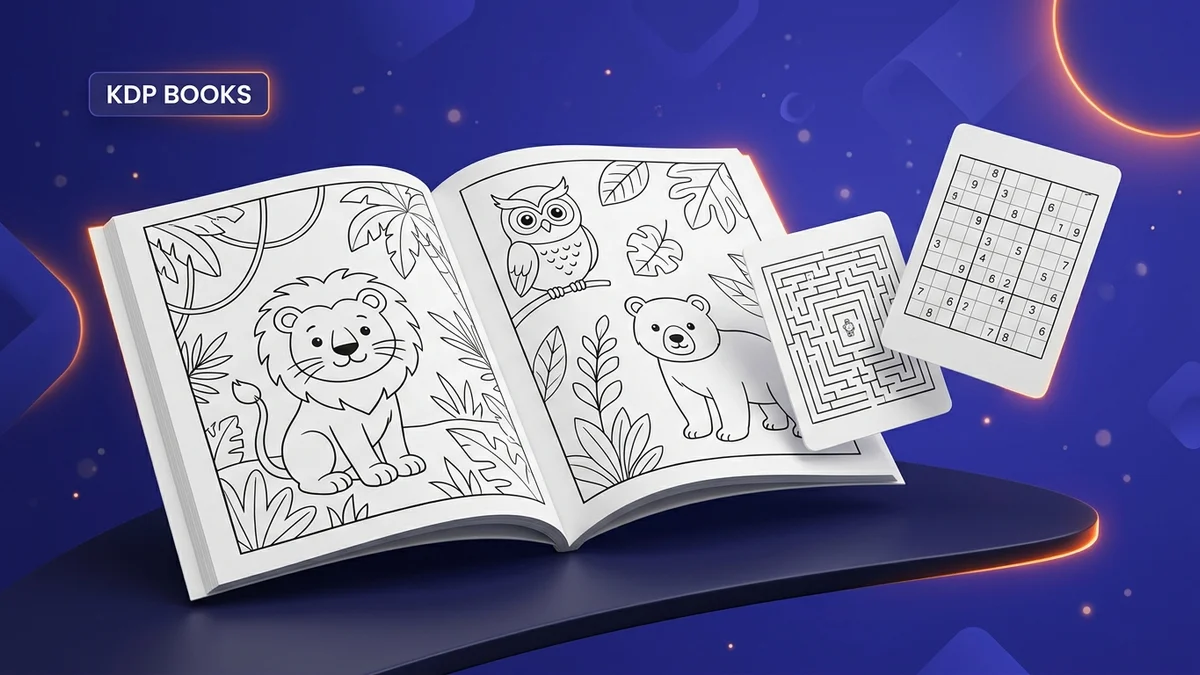
Elevate a simple coloring book into a bestselling Activity Book by mixing in:
- Mazes: Generated with unique winding paths and guaranteed solutions.
- Sudoku & Sudoku 6x6: Multi-level logic puzzles with auto-generated answer keys.
- Word Search & Scramble: Word puzzles tailored to your book's topic.
Step 3: Verify Trim Size, Bleed, and Spine Margins
One of the most frequent reasons Amazon rejects manuscripts is incorrect margin math. Use the built-in Print Quality QA tool to verify:
- Trim Size: Popular formats like $8.5 \times 11$ inches for kids or $8.5 \times 8.5$ for mandalas.
- Gutter & Safe Zone Margins: Ensuring all artwork and text stay safely inside the printable area.
- Spine Calculation: Correctly sizing the cover PDF to account for paper density and page count.
📈 3 Tips to Stand Out on Amazon Search
- Design High-Contrast Thumbnails: Your book cover must look vibrant and legible even on small smartphone screens. Show 3 to 4 sample interior pages on the back cover.
- Target Long-Tail Keywords: Instead of competing for broad terms like "Coloring Book", target specific phrases like "Toddler Farm Animal Coloring Book Ages 2-4" or "Mindful Floral Mandalas for Seniors".
- Add Value with Blank Back Pages: For coloring books, always format your pages with a blank or patterned back side to prevent marker bleed-through and earn 5-star customer reviews.
Start assembling your first collection today and build a recurring royalty stream on Amazon!