As your digital product business expands across Etsy, Amazon KDP, Gumroad, and Shopify, scaling your daily production throughput becomes crucial. Increasing daily generation quotas, unlocking unlimited eBooks, and gaining full access to the high-converting VIP Digital Library are key milestones for digital creators.
Digital Products Maker makes it effortless to upgrade from Starter to Pro, or switch from monthly to annual billing for discounts exceeding 40%, all backed by Stripe's automated Prorated Billing engine.
Here is your comprehensive walkthrough on upgrading and updating your subscription.
Why Upgrade to Pro? (Feature Breakdown)
| Feature | Starter Plan | Pro Tier |
|---|---|---|
| Daily Product Generations | 10 products / day | Unlimited / High-Volume Production |
| Monthly AI eBooks | 2 books / month | Unlimited Full-Length eBooks |
| Daily AI Generation Credits | 20 credits / day | 50+ High-Priority AI Credits |
| VIP Digital Library Downloads | 5 downloads / day | Unlimited VIP Asset Downloads |
| KDP & Worksheet Engines | Full Access | Priority Rendering & Queue Bypass |
| Commercial License | Included | Full Commercial & Resell Rights |
Step-by-Step Upgrade Walkthrough
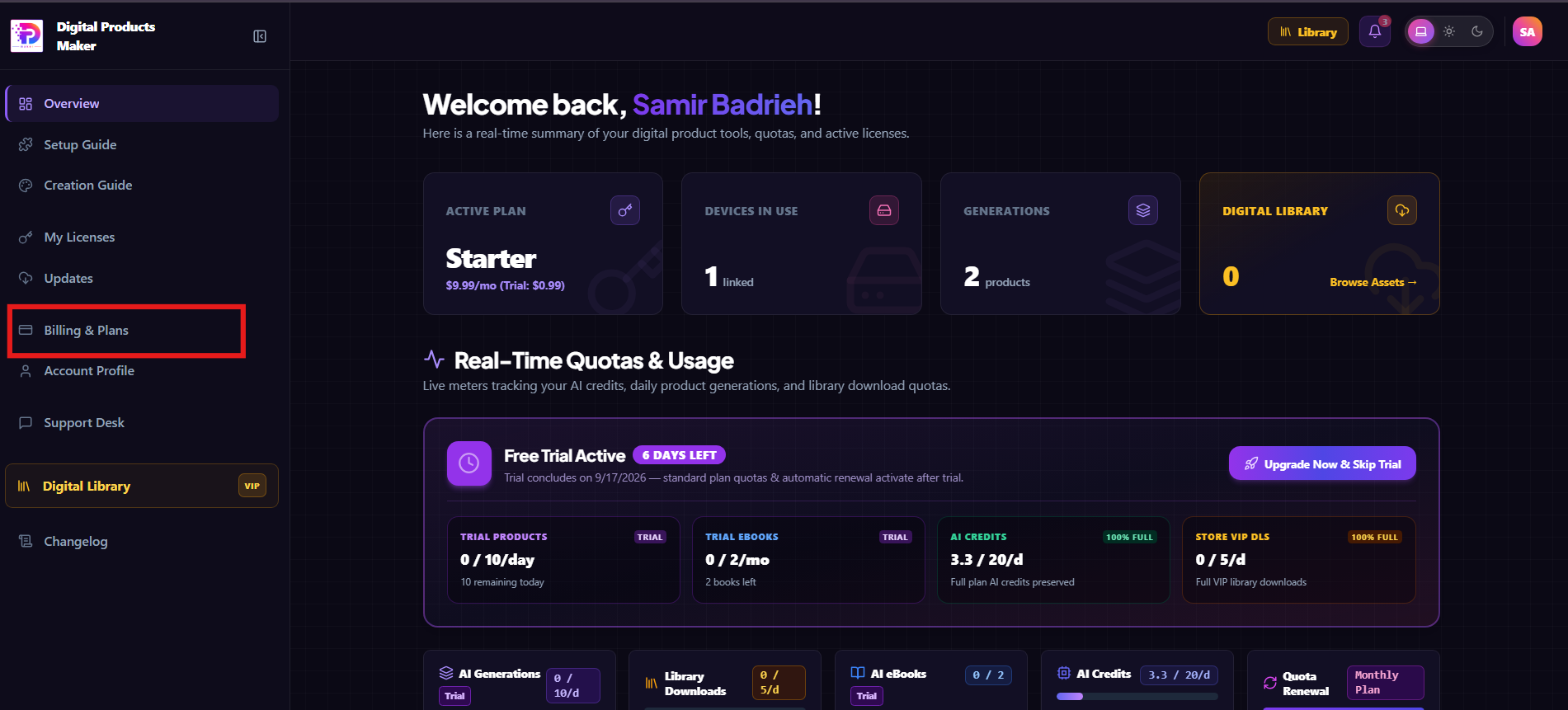
Step 1: Head to Billing & Plans
From your main account dashboard, click on Billing & Plans in the left sidebar:
Step 2: Open Stripe Customer Portal
Click the 💳 Manage Stripe & Invoices ↗ button:
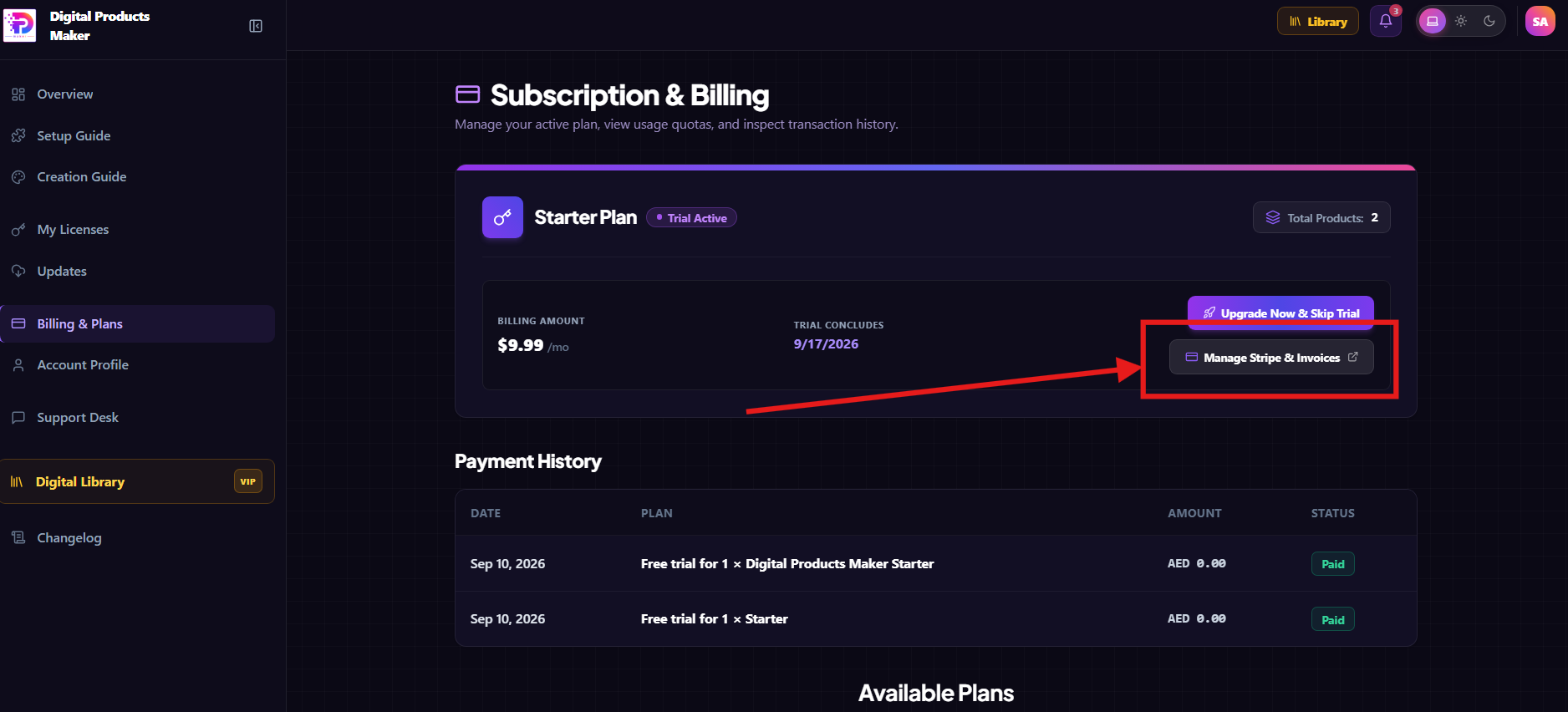
(Tip: If you are currently in a free trial and wish to immediately unlock full production limits without waiting, you can also use the "Upgrade Now & Skip Trial" button).
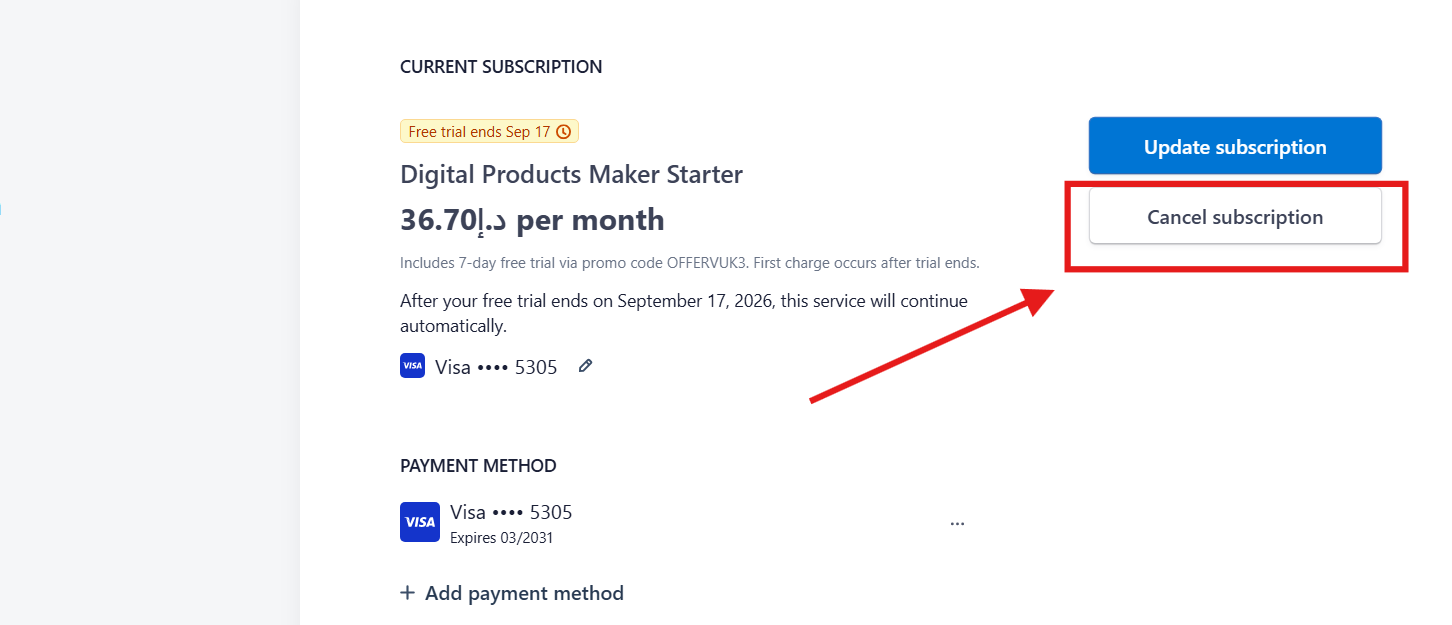
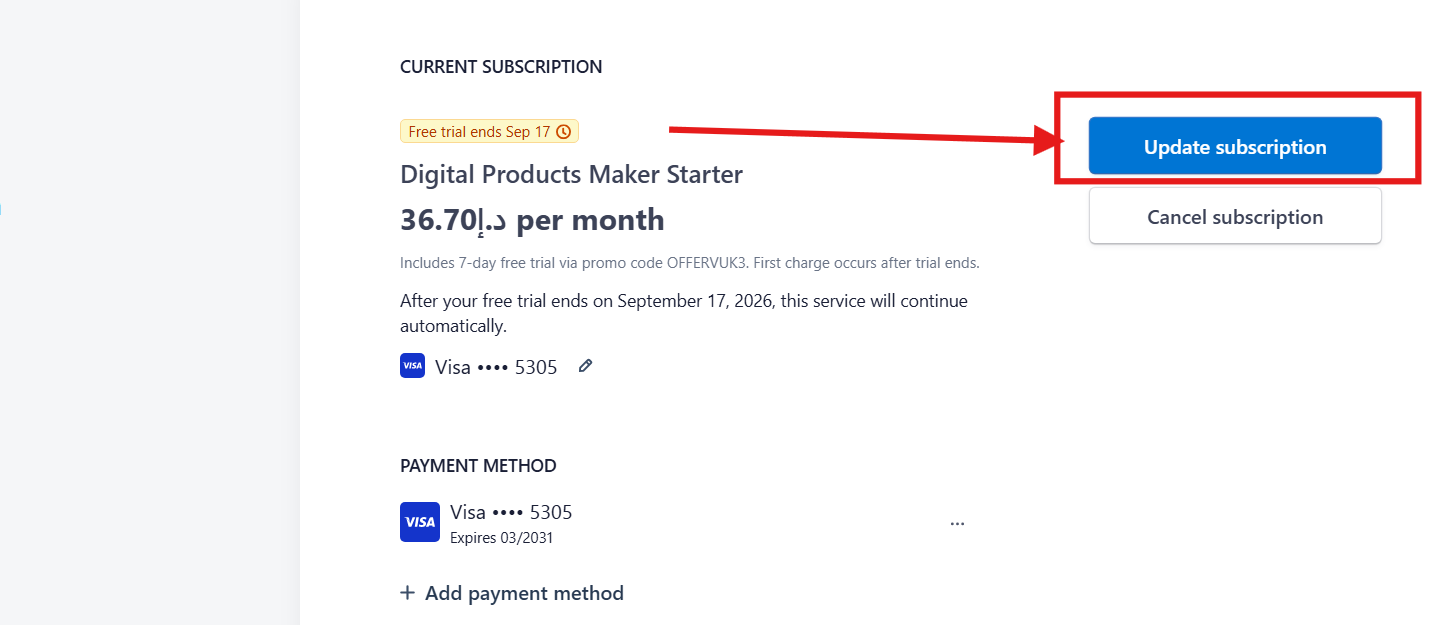
Step 3: Click "Update subscription"
Inside the Stripe portal, click the primary blue button titled Update subscription located at the top right:
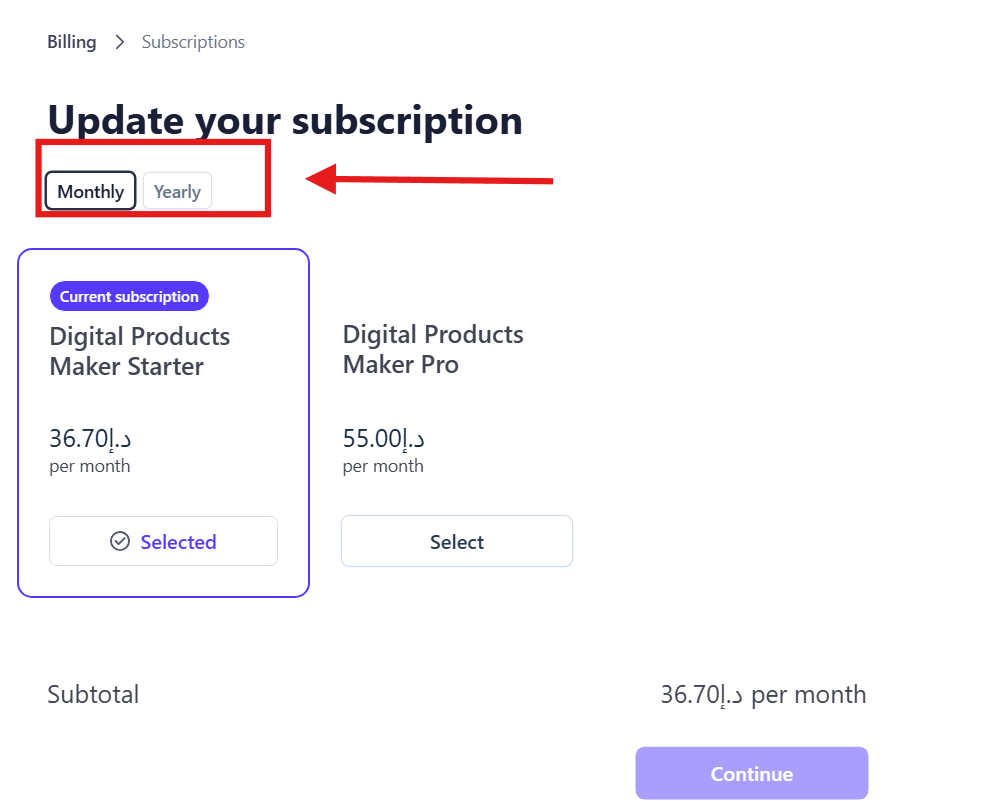
Step 4: Upgrading on Monthly Billing
To remain on monthly renewals while upgrading to the Pro tier:
- Ensure the Monthly tab is active.
- Review the Digital Products Maker Pro tier (55.00 AED / month).
- Click Select, then hit the purple Continue button at the bottom right.
Step 5: Switch to Annual Billing & Save Over 40% (Yearly)
For serious entrepreneurs aiming to maximize profit margins:
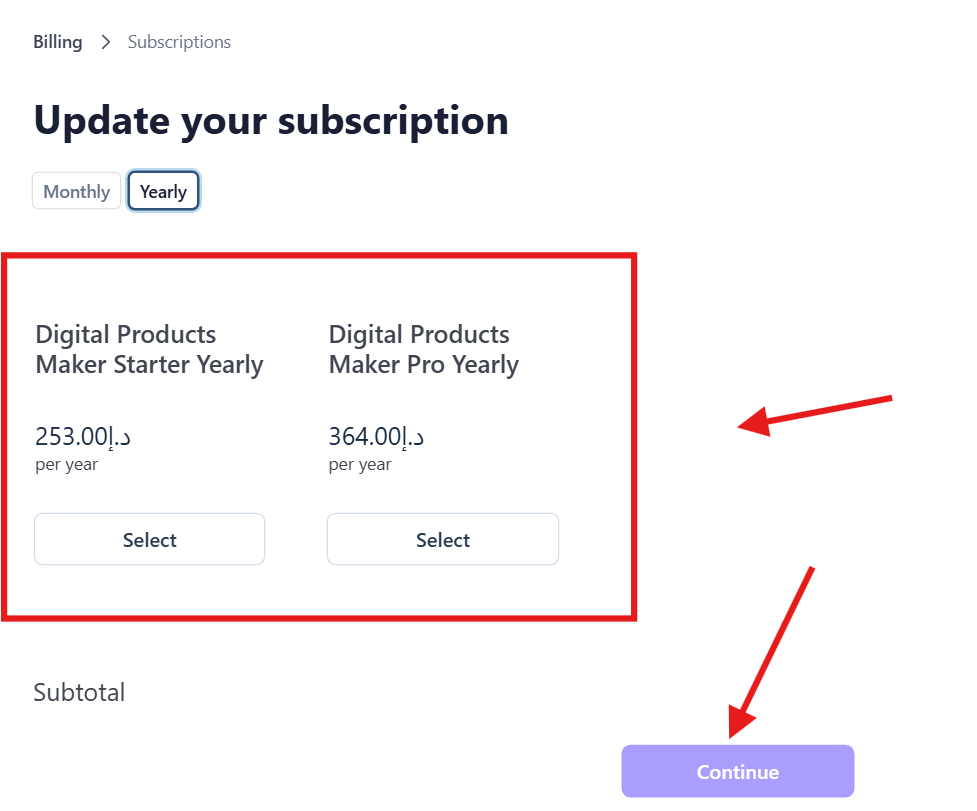
- Click the Yearly toggle at the top left.
- Notice the significant annual price drops:
- Starter Yearly: Only 253.00 AED / year (vs 440.40 AED monthly equivalent—saving over 187 AED!).
- Pro Yearly: Only 364.00 AED / year (vs 660.00 AED monthly equivalent—saving nearly 300 AED per year!).
- Select your preferred tier by clicking Select.
- Click the purple Continue button to review prorated adjustments and finalize your upgrade.
How Does Prorated Billing Work?
Stripe calculates upgrades proportionally:
- You never pay double for time already paid.
- Any unused days from your previous plan are converted into instant credits deducted from the new invoice.
- If upgrading halfway through a month, you only pay the incremental price difference for the remaining days!
Frequently Asked Questions (FAQ)
Is the upgrade activated instantly?
Yes! As soon as payment processes in Stripe, your account limits, daily generation quotas, and AI credits upgrade instantly within seconds.
Can I switch between Annual and Monthly billing?
Yes, you can toggle between monthly and annual billing cycles at any time following the same steps in the Stripe portal.
Will I lose any of my existing projects?
Never. Upgrading purely unlocks higher quotas and capabilities while preserving 100% of your created assets, books, and templates.