The Complete Guide to Selling Digital Wall Art on Etsy: 300 DPI & Aspect Ratios Blueprint (2026)
Why do 80% of beginner digital wall art shops on Etsy struggle with 1-star reviews and refund requests despite creating gorgeous artwork? The fatal flaw is never artistic style—it is technical file resolution failure at standard poster print sizes. When a customer takes your file to a local print shop for a 24x36 inch frame and discovers a blurry, pixelated mess, a chargeback is inevitable. Top-tier 6-figure printable wall art sellers succeed by delivering pristine 300 DPI files configured across the 5 standard frame aspect ratios.
💡 Key Takeaways from this Blueprint:
- The 300 DPI Mathematical Formula: Calculating exact pixel dimensions for crystal-clear prints up to 24x36 inches.
- The 5 Core Aspect Ratios: How to support over 25 worldwide standard frame sizes with a single modular product vault.
- The Cloud Delivery PDF Workaround: Bypassing Etsy's 20MB upload ceiling with a white-labeled Google Drive access hub.
- Color Profile Optimization (sRGB vs CMYK): The industry standard for zero color distortion across home and commercial print labs.
1. The 5 Core Aspect Ratio Architecture Matrix
Never deliver a single arbitrary JPG file and expect the customer to figure out crop dimensions. Professional printable wall art shops package each design into 5 high-resolution 300 DPI files:
| Aspect Ratio | Standard Frame Sizes Covered (Inches) | Maximum Frame Size | Exact Pixel Dimensions (300 DPI) |
|---|---|---|---|
| 2:3 Ratio | 4x6, 6x9, 8x12, 10x15, 12x18, 16x24, 20x30, 24x36 | 24x36 in | 7200 × 10800 px |
| 3:4 Ratio | 6x8, 9x12, 12x16, 15x20, 18x24 | 18x24 in | 5400 × 7200 px |
| 4:5 Ratio | 4x5, 8x10, 12x15, 16x20 | 16x20 in | 4800 × 6000 px |
| 11:14 Ratio | 11x14, 22x28 | 11x14 in | 3300 × 4200 px |
| ISO International | A5, A4, A3, A2, A1 | A1 Standard | 7016 × 9933 px |
2. Producing Crisp 300 DPI Master Files
When generating generative artwork through AI engines (such as Midjourney), the raw native output is typically 1024x1024 pixels—far below the physical requirements for large-scale wall decor.
The Professional Upscaling Workflow:
- Lossless AI Upscaling: Process the base artwork through high-fidelity upscalers (such as Topaz Gigapixel AI or Upscayl) at 4x to 8x scale to eliminate compression artifacts.
- Modular Ratio Cropping: In Photoshop, Figma, or Photopea, create 5 separate artboards using the exact pixel dimensions outlined in the table above.
- Pristine Export: Export at 100% maximum quality JPG or PDF Print with color space set to sRGB (the universal profile interpreted by 98% of consumer print labs).
3. Bypassing Etsy's 20MB File Limit with a Delivery Hub
A full 5-file bundle of 300 DPI uncompressed JPGs routinely exceeds 60MB, far surpassing Etsy's 20MB upload limit.
The Cloud Access Vault Protocol:
- Host the complete 5-ratio package in a dedicated, organized folder on Google Drive or Dropbox with link sharing set to Public - Anyone with link can view.
- Design a branded 1-page Canva Access PDF deliverable containing:
- A clean high-resolution mockup of the purchased artwork.
- A prominent button: "Click Here to Download Your High-Resolution 300 DPI Files".
- An intuitive visual sizing chart showing which file matches their frame.
- Expert paper recommendations (200+ GSM Heavyweight Archival Matte Paper).
4. Pre-Publish Quality Assurance Checklist
- Inspect every file at 100% zoom (Actual Size) to verify edge sharpness and gradient smoothness.
- Confirm all 5 aspect ratio files are present with exact required pixel dimensions.
- Test the Google Drive access link in an incognito browser window to verify zero permission barriers.
- Explicitly state in the listing title and first bullet: "Digital Download Only — No Physical Frame Shipped".
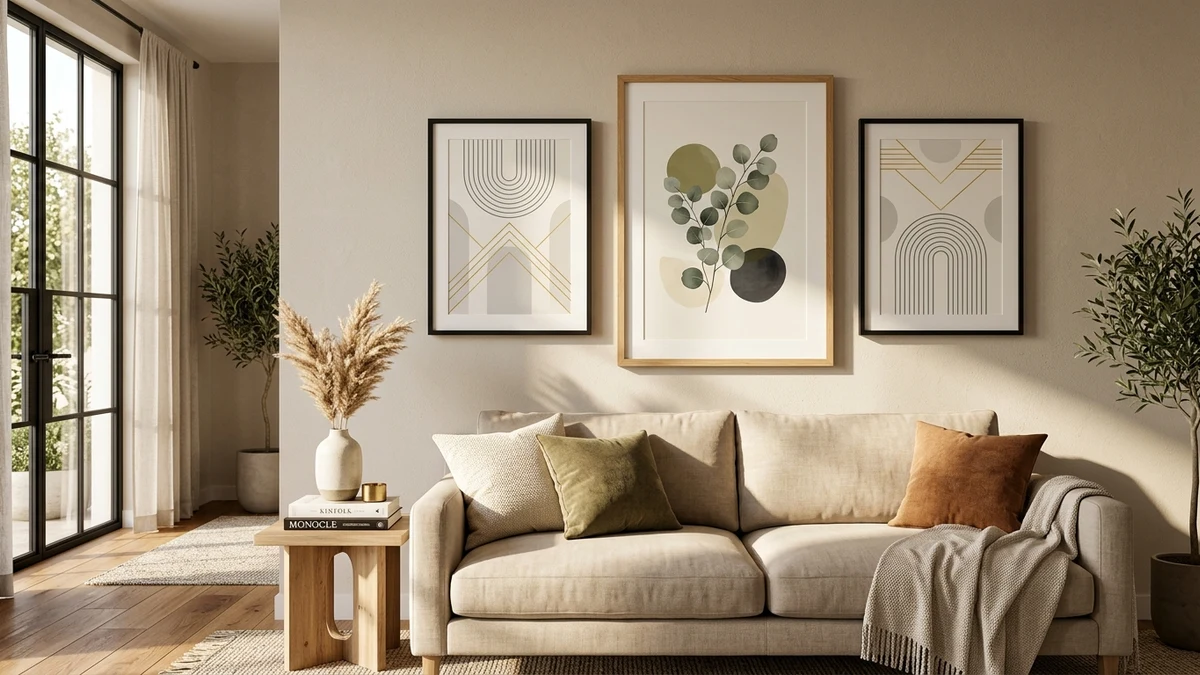
- Use multi-frame lifestyle mockups showing the art in realistic home and office interior lighting.
5. Frequently Asked Questions (FAQ)
What paper stock should buyers use for digital wall art prints?
Recommend Heavyweight Matte Paper (200 to 300 GSM) or textured Archival Fine Art Canvas. Matte finishes prevent glare behind frame glass and deliver rich, velvety blacks and saturated color depth.
Should printable wall art files be saved in CMYK or sRGB?
Save all digital files in sRGB. Modern commercial print providers (Printify, Shutterfly, Walgreens, Staples) utilize automated RIP software optimized for sRGB color conversion, whereas raw CMYK files often display distorted colors on customer monitors.
How do I prevent unauthorized copying from listing mockup images?
Always present mockups at an angle with realistic environmental elements (room furniture, soft natural window shadows) and apply subtle watermarking over full-frontal previews.
Summary and Action Steps
Printable digital wall art is one of the highest-margin categories in e-commerce when engineered with mathematical precision. Implement the 5 core aspect ratio system, enforce 300 DPI resolution standards, and launch your automated wall decor business with confidence.