How to Create a Print-Ready Book for Amazon KDP with One Click?
Amazon Kindle Direct Publishing (KDP) is the largest marketplace for print-on-demand books. However, the biggest hurdle for new publishers is preparing and formatting the book manuscript to meet Amazon's strict printing guidelines.
Thanks to the KDP Book Generator tool inside the Digital Products Maker platform, you can now generate a complete book (content and formatting) perfectly tailored to approved Amazon standards.
In this guide, we will explain how to leverage this tool to create a professional book ready to upload to KDP in minutes.
What is the KDP Book Generator?
It is an AI-powered tool that writes and formats long-form textual content, divides it into chapters, and prepares it to be exported as a PDF file that complies with the exact dimensions and margins required for Paperback printing on platforms like Amazon.
Step One: Accessing the Tool
- Log in to your account.
- Navigate to the Books & Written Content section.
- Select the KDP Book Generator tool.
Step Two: Book Setup
When you open the tool, you will find the settings panel. These options ensure the content is tailored to your audience and printing requirements:
- Topic: The general idea of the book, e.g., "How to Grow Indoor Plants".
- Niche: Who is this book specifically for? e.g., "Growing plants for beginners in small apartments".
- Language: You can type "English", "Spanish", "Arabic", or any other language you want the book to be written in.
- Style: The writing style or artistic tone you prefer.
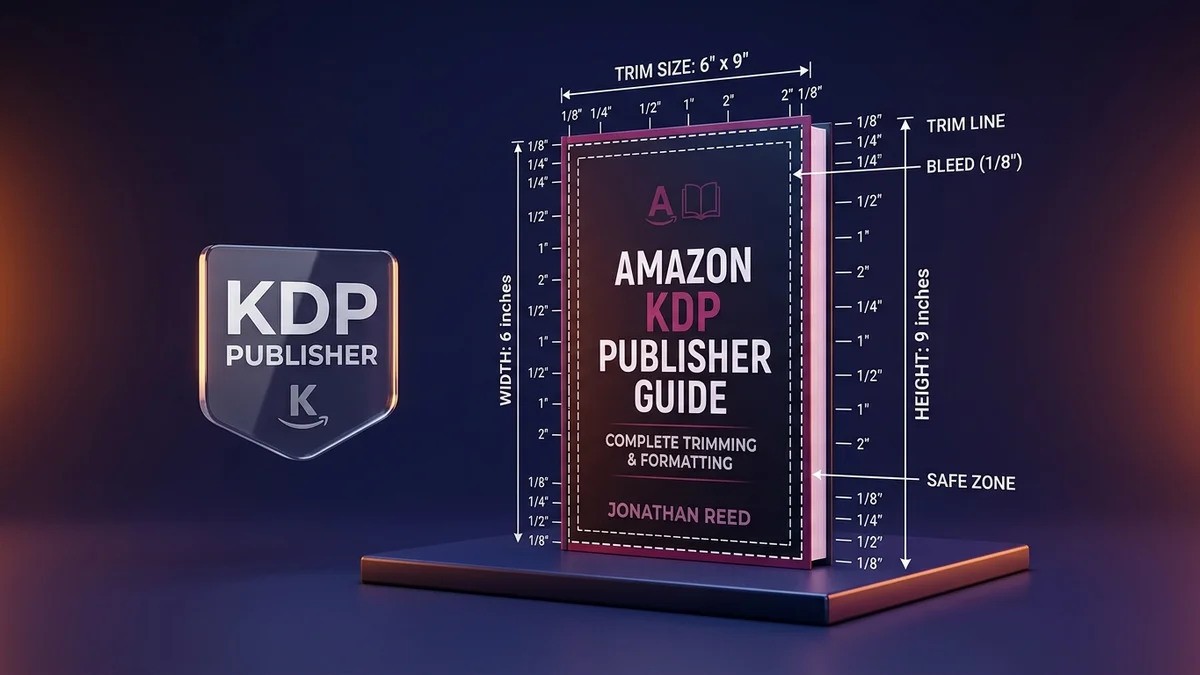
- Dimensions (Trim Size): This is the most crucial option for KDP! The tool offers the best-selling sizes:
- 6 x 9 in (KDP): The standard size for novels and text-based books (most common).
- 8.5 x 11 in (Letter): Excellent for workbooks and educational material.
- A4 Page: The global standard print size.
- A4 Landscape: For horizontal books.
- Pages Count: Choose the length of your book (from 10 up to 120 pages depending on your plan). The tool will generate and distribute content to fill these pages.
Once configured, click the magical generate button.
Step Three: Preview and Edit
The AI will build the book's chapters and internal content, pacing it across pages that match your selected trim size. In the preview screen:
- You will notice the book is neatly divided into chapters, with each chapter starting with a title page.
- Gutter margins are automatically formatted to prevent text from being cut off during binding and printing.
- You can review the generated text to ensure its quality.
Step Four: Export and Publish
Once you are satisfied with the content:
- Click Export as PDF.
- You will receive a PDF file (Manuscript) that you can upload directly to your KDP account under "Book Content".
- You won't get pesky error messages about Bleed & Margins because the tool has already calculated them for you!
Frequently Asked Questions (FAQ)
Can I sell this book under my own name? Yes, the generated book content is exclusively yours, and you can list yourself as the author when publishing on Amazon KDP.
Do I need to format the file in Word or InDesign? No, the tool handles the typography, pagination, and chapter breaks for you, outputting a final PDF. You can, of course, copy the text if you wish to format it externally, but we've saved you that effort.
What about the book cover? Paperback covers require a separate design spanning the front, back, and spine. You can use our dedicated Book Cover tool available on the platform to complete that task!
Start now, pick a profitable niche, and create your first dedicated Amazon KDP book!
Get Started Now
Are you ready to try the tool yourself? You can start right away by visiting Digital Products Maker and exploring all the features explained in this article!