How to Connect Google Gemini API for Free & Enable Multi-Key Rotation in Digital Products Maker (2026 Guide)
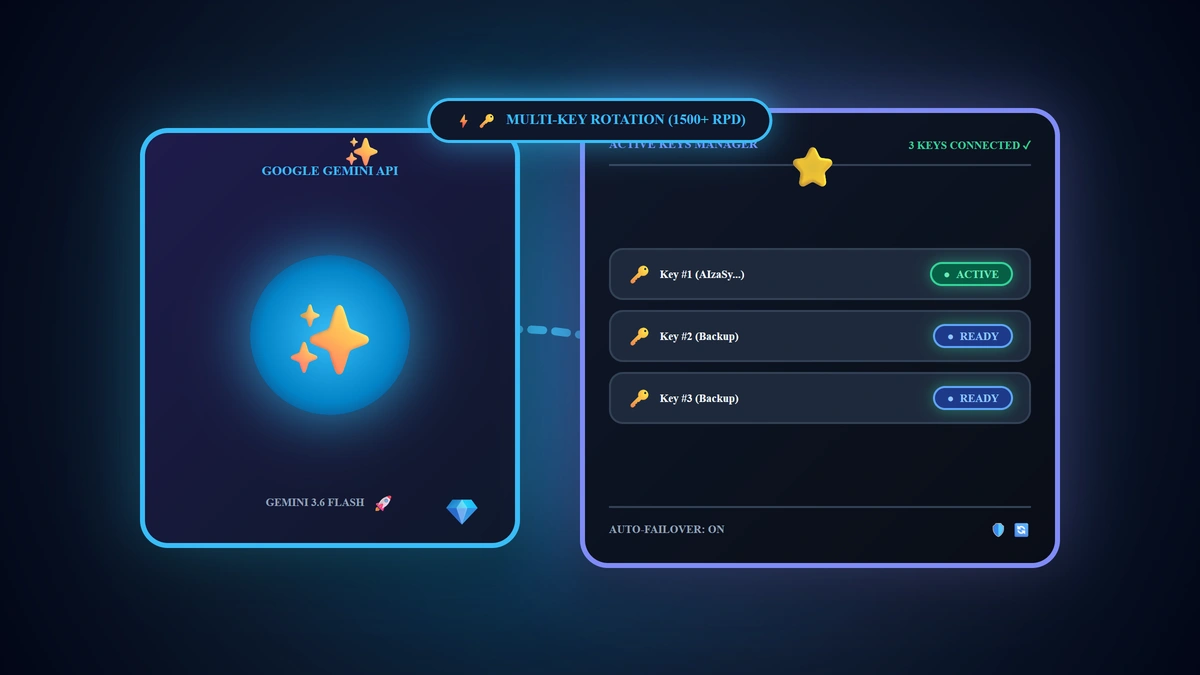
Google Gemini represents the most versatile and cost-efficient foundation for digital product entrepreneurs in 2026; Google provides a generous free allocation of 1,500 Requests Per Day (RPD) with zero credit card requirements. The direct operational formula is: You can connect your Gemini API key in under 60 seconds by generating a key in Google AI Studio, selecting Gemini 3.6 Flash inside the extension settings, and deploying the built-in Multi-Key Rotation engine to link multiple Google accounts, compounding your free daily bandwidth to 4,500+ requests for $0.
💡 Core Takeaways from this Provider Integration Masterclass:
- Direct Official Key Generation: Navigating Google AI Studio to provision your key without entering billing details.
- Extension Configuration Architecture: Selecting Free Model Tiers and activating 2026 speed champions (Gemini 3.6 Flash / 3.5 Flash Lite).
- Multi-Key Rotation Engineering: Overcoming daily rate limits through automated per-account key failover.
- Connection Pre-Flight Checklist: Verifying the green active status indicator and ensuring instant generation uptime.
1. Step 1: Provisioning Your Free API Key on Google AI Studio
To generate your private API credential, execute this quick sequence:
- Navigate directly to the official Google developer portal:
🔗 Google AI Studio - Get API Key - Sign in using your standard Google (Gmail) credentials.
- Click the primary action button: "Get API key" or "Create API key".
- Select "Create API key in new project".
- Copy the generated string prefixed with AIzaSy... and store it securely.
2. Step 2: Configuring Google Gemini in Digital Products Maker
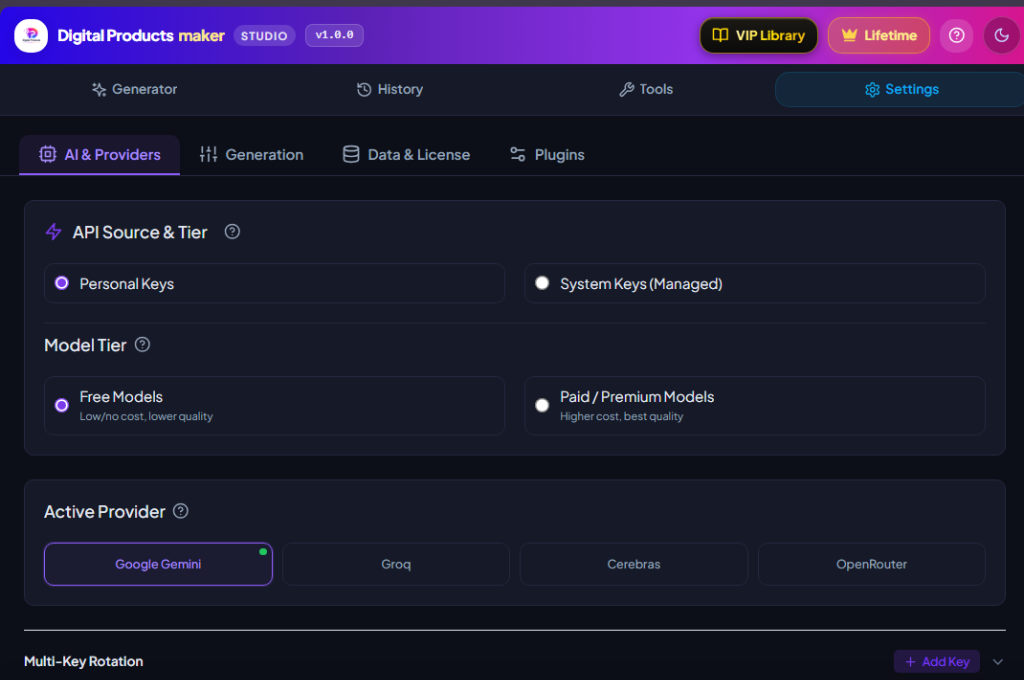
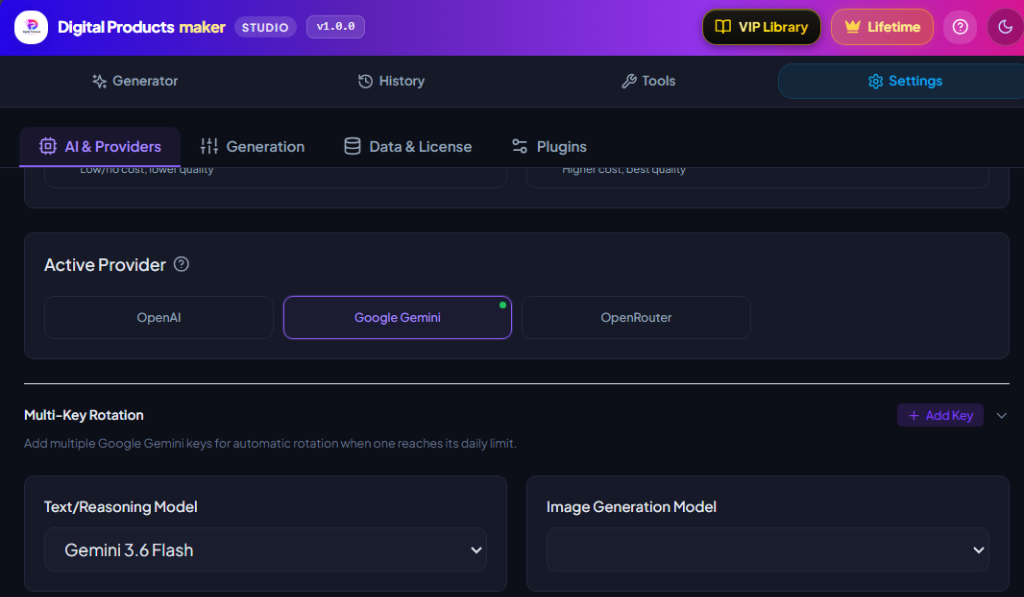
Launch the Digital Products Maker extension interface and follow the visual sequence shown above:
- Click on Settings (⚙️) from the top navigation bar.
- Select the AI & Providers configuration tab.
- Under API Source & Tier:
- Select Personal Keys.
- Select Free Models (to operate at zero software overhead).
- Under Active Provider:
- Click on the Google Gemini card.
- Under Text/Reasoning Model:
- Select Gemini 3.6 Flash (or default Gemini 3.5 Flash Lite) for ultra-fast generation and clean logic.
- Under Image Generation Model:
- Select Gemini 3.1 Flash Image (Free) for companion vector prompts.
3. Step 3: Unleashing the Multi-Key Rotation Engine
For active commercial sellers compiling multiple 50-page coloring books or comprehensive daily planners daily, 1,500 requests can be exhausted during intensive sprints. The extension's native Multi-Key Rotation engine provides permanent operational continuity:
How Multi-Key Rotation Operates:
- Click the + Add Key button inside the Multi-Key Rotation card.
- Paste your primary API key and assign an intuitive label (e.g. Account 1).
- Click + Add Key again to add secondary and tertiary keys provisioned from distinct Google accounts.
- Click Save Keys.
⚠️ Critical Architectural Requirement:
To achieve a genuine increase in your daily quota, each key must originate from a completely different Google account; adding multiple keys created within the same Google account shares the identical underlying project rate limit.
Automated System Capabilities:
- Live Quota Telemetry: Visual indicators display real-time daily consumption (e.g. 1500 / 1500 req left) with green, amber, and red health badges.
- Autonomous Failover: The moment Key 1 exhausts its 1,500 daily quota, the engine transitions instantly to Key 2 without disrupting active export jobs.
- Automated Midnight Reset: Consumption counters reset automatically every 24 hours at 00:00 UTC.
4. Google Gemini Model Comparison Matrix (2026)
| Model Name in Extension | Tier Classification | Financial Cost | Optimal Use Case in Digital Commerce |
|---|---|---|---|
| Gemini 3.6 Flash | Free / Paid | Free ($0.00) / $0.00015 Paid | Top Recommendation: Full coloring books, complex logic & prompts |
| Gemini 3.5 Flash Lite | Free | 100% Free ($0.00) | Default Rapid Engine: Flashcards, habit grids, SEO copy |
| Gemini 3.1 Pro | Paid | $0.00125 per 1k tokens | Deep linguistic synthesis & long-form instructional guides |
| Gemini 3.1 Flash Image | Free | 100% Free ($0.00) | Direct printable vector illustration prompts |
5. Connection Pre-Flight Verification Checklist
- Access Google AI Studio and generate a clean project API key.
- Paste the key into the Gemini configuration card and confirm the Green Active Dot illuminates.
- Select Gemini 3.6 Flash as your primary Text/Reasoning engine.
- Provision 2 companion keys from secondary Google accounts to enable automated Multi-Key Rotation.
- Execute a test generation to verify instantaneous sub-second response latency.
6. Frequently Asked Questions (FAQ)
Does Google AI Studio require a valid credit card during registration?
No! Google grants immediate, unrestricted access to its Free Tier across all standard Gmail accounts without requesting payment methods.
What happens if all configured keys reach their daily limit?
The extension notifies you that quotas are temporarily exhausted; counters reset automatically at 00:00 UTC, or you can paste an additional key from a fresh account to resume immediately.
Is the AI output quality on the Free Tier identical to the Paid Tier?
Yes! The neural weights, reasoning quality, and creative outputs of Gemini 3.6 Flash are 100% identical between Free and Paid tiers; Paid tiers simply unlock higher parallel concurrency.
Summary and Next Action Step
Integrating Google Gemini into Digital Products Maker provides you with an enterprise-grade artificial intelligence engine capable of manufacturing high-converting digital assets at zero software cost. Retrieve your API key today, activate Multi-Key Rotation, and build your digital product empire with limitless creative bandwidth in 2026.